Songmark: one library for the music I save
A sample case study, built from the Songmark case study, to preview how a long case study reads on the site. The images under What shipped are placeholders.
Songmark is an iOS app that gathers the music I save across YouTube, Shazam and SoundCloud into one library. I designed and built it end to end, from the share sheet to crates and previews.
The problem
It started as my own problem. The music I wanted to remember was scattered: sets and edits saved on YouTube, songs I’d caught with Shazam, tracks liked on SoundCloud. Each app kept its own list, none of them talked to each other, and going back to find something meant searching three places and usually giving up.
I didn’t need another player. I needed one place that held all of it, whatever app a track came from, and that cost nothing extra at the moment of saving. If saving took more than a couple of taps, I knew I’d stop doing it within a week.
That gave me two rules before drawing anything:
- Saving happens where the music already is, never by switching apps
- Finding something later has to be faster than searching the original app
Options I weighed
I sketched three directions before writing any code.
A browser extension
The quickest to build, and it would have covered YouTube and SoundCloud on the desktop. But most of my saving happens on the phone, and Shazam doesn’t exist in a browser at all. It solved the easy half.
A shared playlist in an existing app
Copying everything into one Apple Music or Spotify playlist. No app to build, but half of what I save isn’t on any streaming service: DJ sets, live edits, unreleased tracks. The playlist would quietly lose the most interesting part of the library.
A small app that lives in the share sheet
Every music app already has a share button. If Songmark sat in the share sheet, saving would be two taps from anywhere, and the app itself only had to be good at one thing: holding and finding. This is the one I built.
The best version of Songmark is the one you barely notice while saving, and can’t live without when searching.
What shipped
Share or paste a YouTube, Shazam, SoundCloud or Spotify link and Songmark fills in the title, artist and cover on its own, from public oEmbed and Open Graph data, with no accounts or API keys.1 A whole YouTube playlist can come in at once, skipping anything already saved.
Crates
Once everything sat in one library, it needed shape. Crates are hand-picked collections like “Afro House” or “Sunset warm-up”, and a track can live in several at once. Each crate gets a cover: a stack of its newest artwork, a gradient and icon, or a photo of your own.
Search, sorting and filters by source or tag make any track easy to find again. In testing, finding a saved track went from “open three apps and scroll” to typing two or three letters.
The first launch
The first launch got the most craft. I explored three welcome screens: rows of artists and genres drifting past in opposite directions, which shipped as the default, and a vortex where album covers spiral out of a dark tunnel around the headline.
 The welcome screen that shipped: artists and genres drifting past in opposite directions
For the vortex, a small Metal shader twists the whole layer as it arrives, then unwinds to leave the covers crisp. The covers blur with depth, all drawn in a single GPU pass, and one variant pulses them to a 120 BPM kick with a heavier downbeat. With Reduce Motion on, everything holds still.2
Previews, not playback
Apple’s free 30-second previews let you hear a track before opening it anywhere else.3 Full playback stays with the apps that own it: a track opens in Apple Music, YouTube or Shazam when you want the whole thing.
 A preview playing, one tap from the full track in Apple Music
Gold and Platinum records
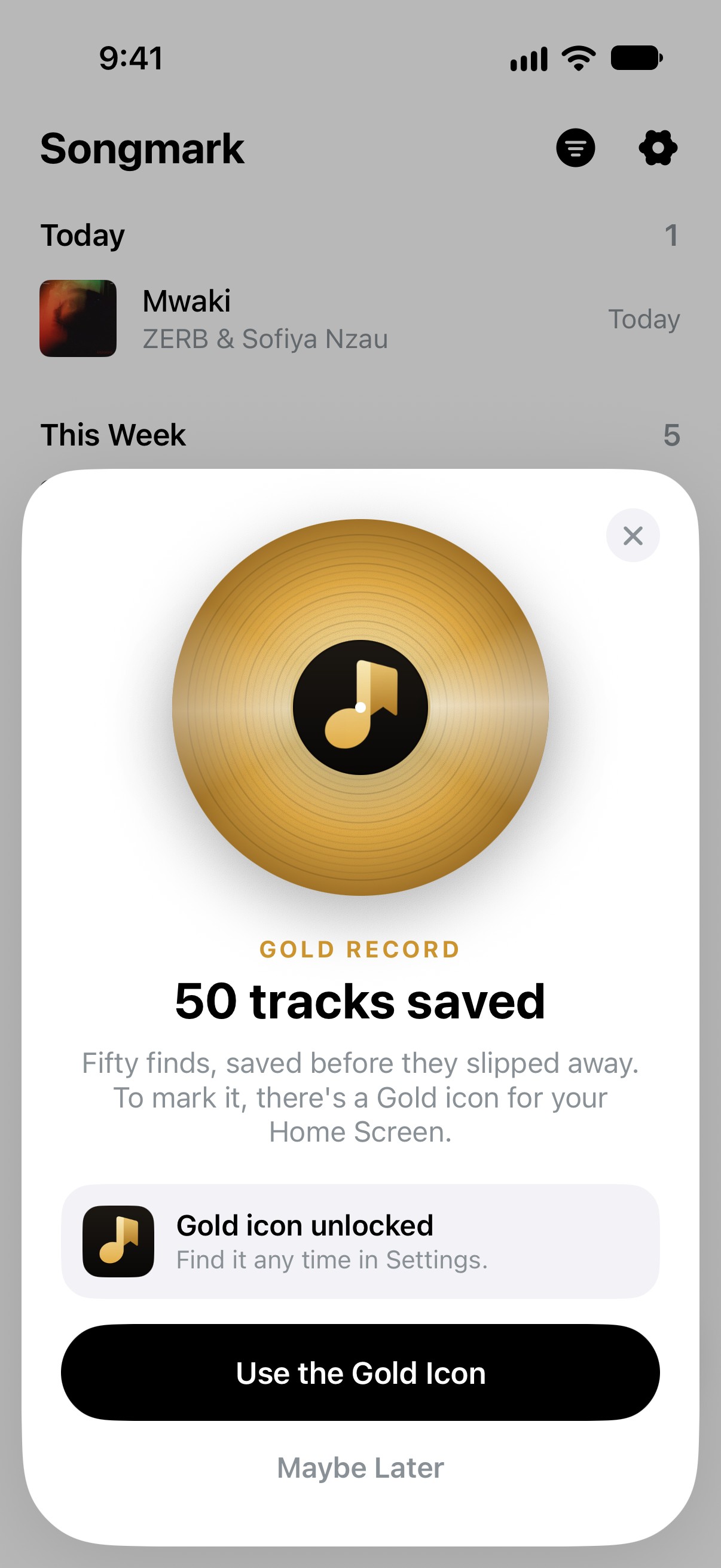
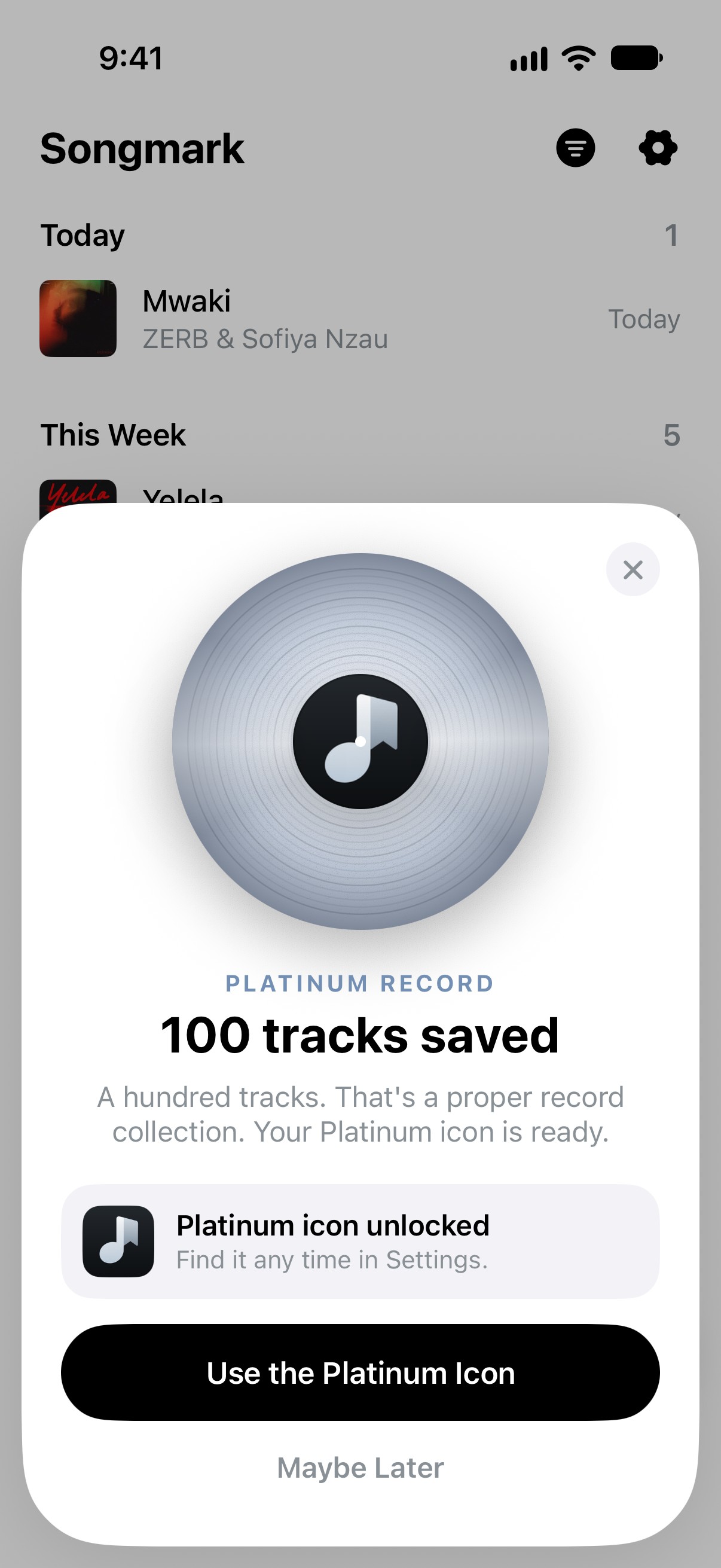
Saving 50 tracks earns a Gold Record, and 100 a Platinum one, named after the awards artists get. The record spins in with the Songmark logo as its label, notes burst out from behind it, and each one unlocks its own app icon.
How I built it
I designed and built it in Xcode with SwiftUI and Claude Code, working in the running app rather than static mocks. The app and its share extension write to one SwiftData store, so a track saved from the share sheet is already in the library when you open the app.4
Working in the running app changed what “done” meant. Every empty state, every slow network, every long title that wraps was something I hit myself, on the device, rather than something I’d have to remember to draw.
Outcome
The three lists became one. Whatever app a track was saved in, it now lives in the same library, grouped the way I actually listen, and a preview is a tap away.
Keeping playback with the apps that own it kept Songmark small and focused on its job: remembering music, not replacing the apps it comes from.
It was also my most complete end-to-end build so far: every interaction, empty state and edge case resolved in code, on the device, rather than left in a design file.
What I’d do next
- Smart crates that fill themselves from tags and sources
- A Mac app for the DJ sets I save on the desktop
- Sharing a crate as a link, so friends can listen without installing anything
Acknowledgements
Songmark started as a weekend fix for my own saving habits. Thanks to the friends who tested early builds and kept saving tracks into it long after the novelty wore off.
Built with SwiftUI and Claude Code, in the running app rather than in mockups.
Footnotes
-
oEmbed is an open format that lets a site hand back a page’s title and thumbnail from just its URL. ↩
-
Apple’s Reduce Motion setting is worth honouring everywhere, not only in welcome screens. ↩
-
Previews come from Apple’s iTunes Search API, which is free and needs no account. ↩
-
An App Group lets the app and its share extension read and write the same store. ↩
 Songmark